
守夢佳業科技 出品
Appshot Studio
截圖。美化。發布。
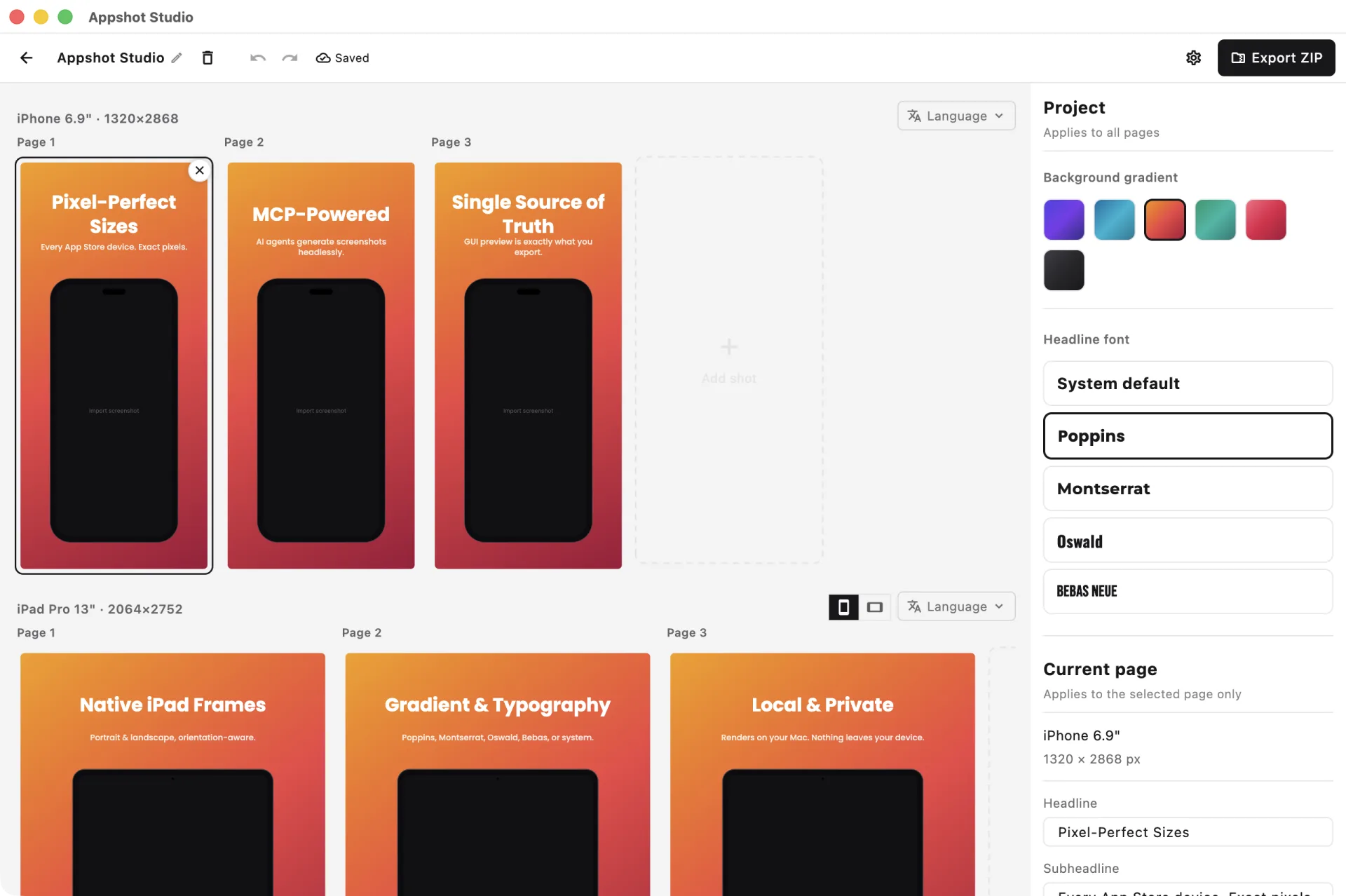
一款 macOS 應用程式與 MCP 服務,把你的裝置截圖和營銷文案變成像素級精準的 App Store 圖——漸層背景、醒目大標題、iPhone 與 iPad 外殼,按商店精確尺寸匯出。
核心功能
幫你交付能帶貨的 App Store 截圖所需的一切
像素級精準匯出
按 App Store 精確尺寸匯出——iPhone 6.9"、6.7"、6.5" 以及 iPad 13"、12.9"。無需手動調整尺寸,無需猜測,不會被拒。
MCP / AI 智能體
內建 Model Context Protocol 服務,讓 AI 智能體可以無介面地產生截圖——同一渲染器、同一輸出,完全可腳本化,支援批次產生。
單一渲染源
GUI 預覽與無介面匯出共用同一個 painter。編輯器裡看到的就是匯出的結果——像素級一致,每次如此。
漸層與排版
漸層背景配頂部醒目的大標題與副標題。可選 Poppins、Montserrat、Oswald、Bebas 或系統字型,匹配你的品牌。
裝置外殼
擬真的 iPhone 外殼(含 Dynamic Island)與完整的 iPad 外殼,自動偵測方向不匹配並提示切換。
本機與隱私
一切都在你的 Mac 上本機渲染。你的截圖與文案絕不會離開你的裝置——無雲端上傳,不對你的素材做任何遙測。
Connect Appshot Studio to Your AI Agent
/Applications/Appshot Studio.app/Contents/MacOS/appshot_studio{
"mcpServers": {
"appshot-studio": {
"command": "/Applications/Appshot Studio.app/Contents/MacOS/appshot_studio",
"args": ["--mcp"]
}
}
}claude mcp add appshot-studio -- "/Applications/Appshot Studio.app/Contents/MacOS/appshot_studio" --mcpWhere each client reads it
- Claude Code — .mcp.json in your project root, or the one-liner above.
- Cursor — .cursor/mcp.json, or Settings → MCP.
- Claude Desktop — ~/Library/Application Support/Claude/claude_desktop_config.json
Requirements & gotchas
- command must be the absolute path to the executable inside the bundle — not the .app folder.
- the --mcp flag is required; omitting it launches the GUI.
- screenshots are sent as base64 data: URIs (file paths are rejected by the sandbox); exported PNGs come back as local absolute paths.
- requires macOS 15 or later.
隱私為設計之本,在地端為預設之選
Appshot Studio 在你的 Mac 上本機渲染一切。你的 App 截圖與營銷文案都在裝置上合成,絕不上傳到任何伺服器。
本機渲染
每一張截圖都在你的 Mac 上合成繪製
僅限本機
MCP 服務作為本機處理程序運行——無外部呼叫
素材歸你
你的截圖與文案絕不離開你的裝置
常見問題
關於 Appshot Studio,你最關心的問題
Appshot Studio 是什麼?+
Appshot Studio 是一款 macOS 應用程式,把你的裝置截圖與營銷文案變成 App Store 可提交的圖片——漸層背景、醒目大標題、iPhone/iPad 外殼,按精確像素尺寸匯出。它還提供 MCP 服務,讓 AI 智能體可以無介面地產生截圖。
MCP 服務是什麼?+
MCP(Model Context Protocol)讓 Claude 這樣的 AI 助理可以直接呼叫 Appshot Studio。你的智能體可以建立專案、排版畫面、透過 GUI 使用的同一渲染器匯出 PNG——非常適合批次產生與自動化。它作為本機處理程序在你的 Mac 上運行。
支援哪些尺寸?+
所有 App Store 必需尺寸:iPhone 6.9" (1320×2868)、6.7" (1290×2796)、6.5" (1242×2688),iPad 13" (2064×2752)、12.9" (2048×2732)。
價格是多少?+
Appshot Studio 已在 Mac App Store 上架,一次性買斷 $9.99(美元),無需訂閱。
為什麼只有 macOS?+
Appshot Studio 是原生 macOS 應用程式,針對 Apple Silicon 與 Intel Mac 最佳化。我們優先聚焦 Apple 開發者工作流程;其他平臺以後可能會考慮。
GUI 預覽和匯出完全一致嗎?+
是的。兩條路徑共用同一個 painter 作為唯一渲染源——編輯器裡預覽的就是你匯出的結果,像素級一致。MCP 服務也使用同一個 painter。